
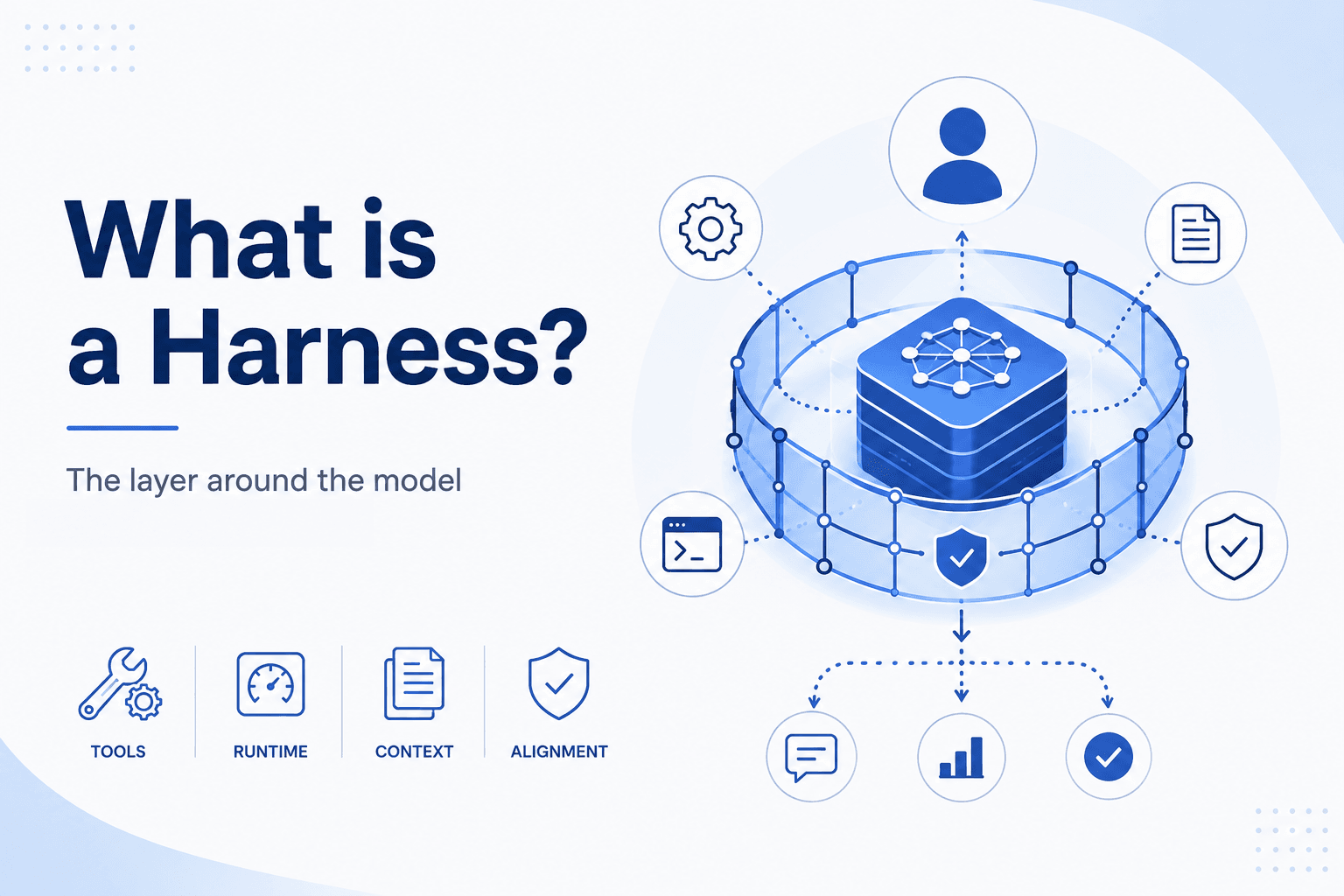


We use software development as the running example below, but harnesses apply wherever you put a model to work: support triage, ops runbooks, research pipelines, and more.
Compared to the hype around each new release, using LLMs day to day doesn't feel dramatically better to me than it did in 2024. Benchmarks tell a different story, of course. But models still feel like a mix of genius and madness. One time I get an absolute masterpiece, the next time complete garbage. That was true in 2024, and it still is in 2026.
Nevertheless, it is undeniable that software development as a whole became much better. How is that possible?
It is the layer around the model. Claude Code, Codex, Cursor, and the like improved so much that 2024 is in no way comparable to the present. Finally, we have a name for that layer: harness.
In this article, we discuss how harnesses came into being, what they do, why they are as important as the model itself, and what we can expect in the future. First the story, then the name.
1. The Evolution of Harnesses
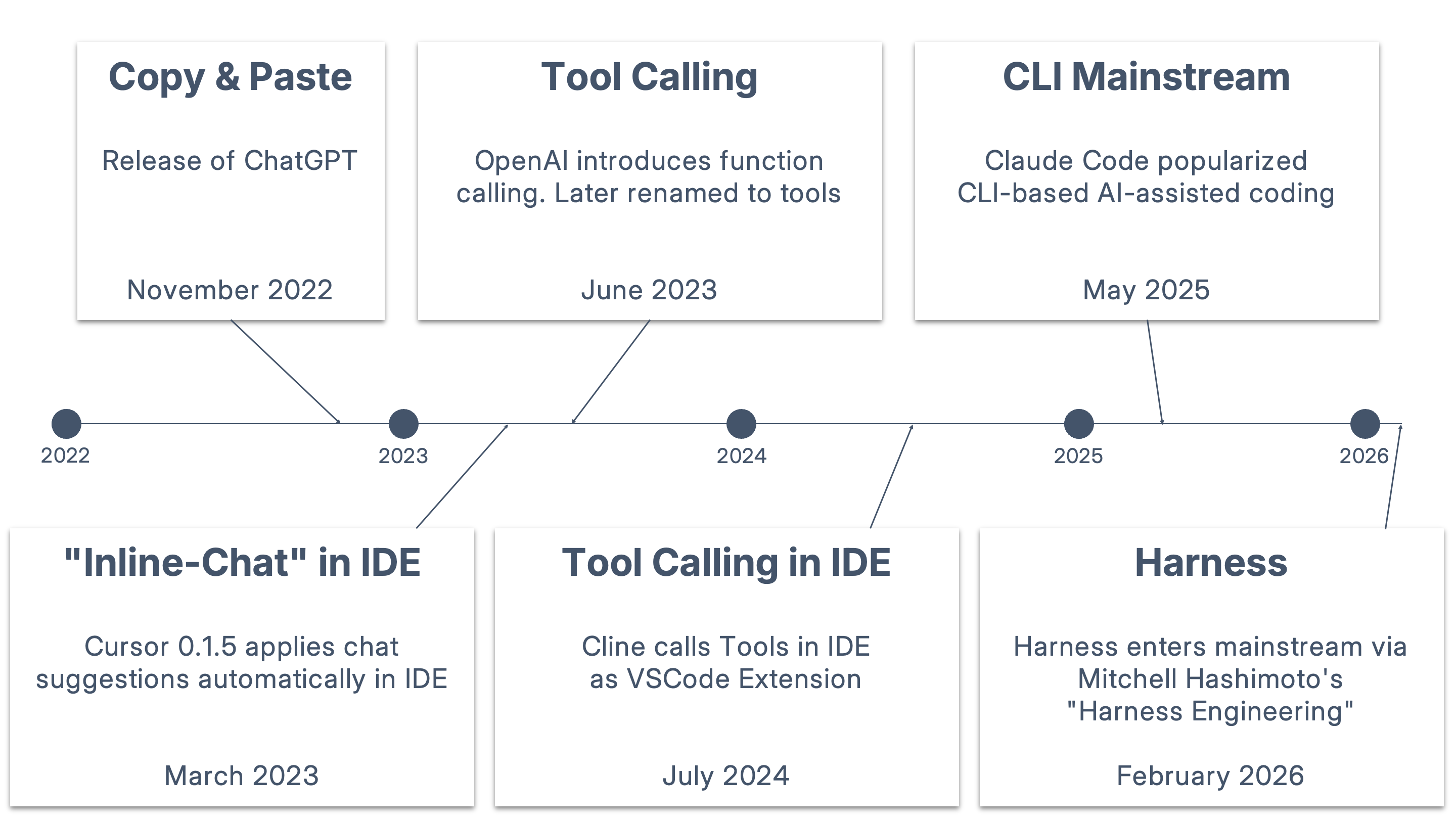
The first phase in AI-assisted development was just copy & paste. We copied our code into the prompt of ChatGPT. We added a little context, asked our question, and pasted the generated code back into our IDE.
The next step was obvious. IDEs integrated a chat window and were also able to generate code directly in source files. That was still copy and pasting, but automated by the IDEs.
The model's view of our codebase was almost blind. The model passively depended on the user's prompt and the code snippets it received.
Then came a big shift. Models gained support for tool calling. An agent, like an IDE, could tell the model that it could read and write files if the model instructed it to.
The model could actively instruct its agent to read or write to whatever file the model thought was important. That gave the model full visibility. It could unleash its potential.
All of a sudden the model was capable of working on much larger codebases in a loop. It could read and write files. It could also ask the agent to execute build steps and verify whether the application runs.
Because the model was now in the driving seat, we soon realised that the model doesn't need an IDE anymore. A simple CLI with proper tools did the job as well. Welcome Claude Code and other CLI-based coding agents.
Over time, the coding agents weren't agents anymore in the sense that they only ran tool calls. They still executed the model's tool calls. But they also managed and steered the model itself. Here are common examples:
- They came up with system prompts where the model was set up for software development.
- They helped in context management via compaction or memory features.
- They offered hooks where users could set up commands for verification.
The agents therefore made sure to get the best out of the model without relying solely on the user's prompt. Those features or measures became more and more powerful, but the mainstream didn't really call that layer harness yet.
That changed on February 5, 2026, when Mitchell Hashimoto published an article, where he described how he tried to improve the model so that it wouldn't repeat the same mistakes. He called it "harness engineering".
The term harness or agent harness has been around for some time, but Hashimoto's article pushed it into the mainstream. In articles that followed, the definition became sharper, and nowadays we're saying a harness is the agent without the model. Or, put differently:
Agent = Model + Harness
2. The Model, the Harness, and You
We covered how we got here. A harness can do so much that it quickly feels overwhelming. So we start with the model's limitations. Then it all lines up.
2.1 The model's limitations
In our article about the fundamentals, we discussed the following:
- Text-only output: The model mainly produces text and can't do anything else.
- Context management: The model has a limited capacity for text it can process.
- Data actuality: The model has limited knowledge and a cut-off date, which means it doesn't know about recent events.
In the past, an agent's main task was to solve the text-only limitation. The agent provided tools. The model could call them. We did not use the word harness much yet, but it was already there.
Solving context management and data actuality fell into our responsibility. We had to keep the context window from overflowing and make sure the model knew about the latest data. That's what "prompt engineering" was for, and it was not easy.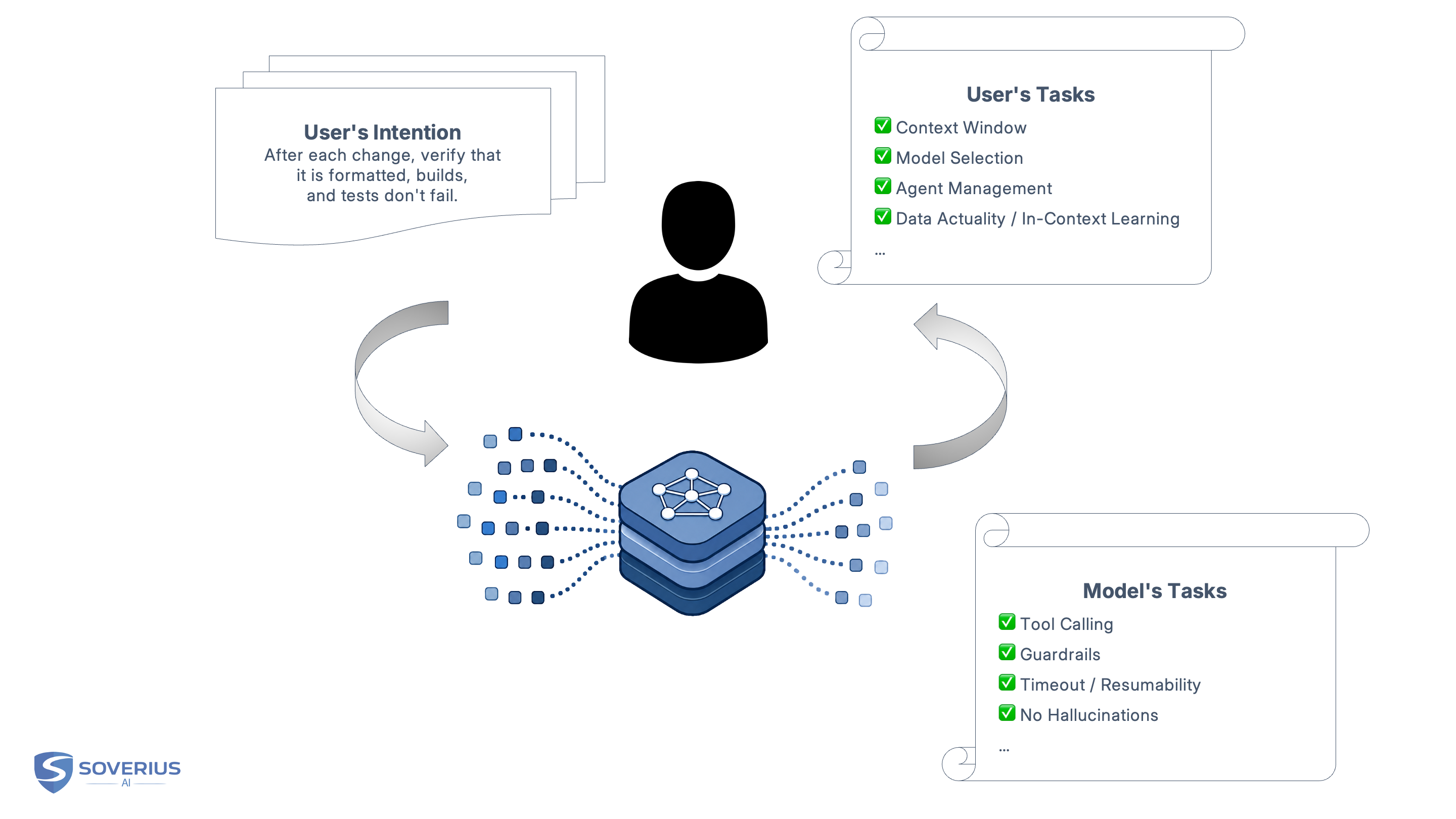
2.2 The harness
Modern harnesses solve both model and user limitations. We categorize a harness into two main parts:
- Model side: Tools and agent runtime
- User side: Context engineering and intent alignment
Most modern harnesses are model-agnostic. That means you can switch to a different model. In fact, the harnesses can do the switch itself and use the model it finds as best fit for the task.
2.2.1 Model side: tools and agent runtime
Next to providing tools, the harness also needs to ensure safe execution. We don't want the model to wipe out the entire repo by accident. The harness can run in a sandbox or in dedicated containers. That's what the agent runtime is for. It also provides built-in guardrails: rate limiting, timeouts, and so on.
Another aspect is improving the tool calls. Instead of loading the whole tool schema, the harness can tell the model which tools exist and load details on demand. In short, that is what skills are doing, and the harness is the enabler. MCP was a big thing in 2025, but skills are increasingly replacing it because they manage context better.
2.2.2 User side: context engineering and intent alignment
The user side has two parts. On one side, we have user tasks that could be fully automated. On the other, the harness needs to keep the model's output as close as possible to our intent.
Context engineering
The harness can manage the context. For example, we should not babysit the context by checking how full it already is. The harness compacts when it needs to, can open a fresh session, and we keep going without noticing. It can spin up several agents, split the work, and coordinate them from one session.
On a larger scale, the harness could have memory. It automatically extracts important information, persists it to the file system, and loads it into each session.
Harnesses can also solve the problem of data actuality. They just provide a web search tool. We don't have to copy the latest spec into the prompt if the model can fetch it on its own.
Just because everything can be fully automated doesn't mean it has to. We can still close and re-open sessions on our own, provide specific data in the prompt, and so on to achieve better results.
Intent alignment
The other part on the user side is different. It still needs us to align the model's output with our intent. We need to define what needs to be done, but we should also be able to say how it is done.
That means in coding, we want to provide code guidelines and ensure that certain verification steps are run before the model deems the job done. That could mean running ESLint, tests, building the application, and so on. And finally, we also want to be able to review the code. Here the harness needs to come up with a proper UI as well.
In order to achieve that, the harness provides a set of different possibilities. We can use AGENTS.md for global-scope information, skills for specific tasks, and hooks for hard-coded verification steps.
Say we ask the agent to fix a failing test. The model patches the file and says it is done. A hook runs the test suite, ESLint flags a bad import, and the harness feeds that output back and starts another turn. We never had to paste the error ourselves.
A harness's ability to align with the user's intent is what Mitchell Hashimoto called harness engineering. It is the process of making the harness better over time by making it more aware of the user's intent and more robust against mistakes. We cover that in a follow-up article (see Summary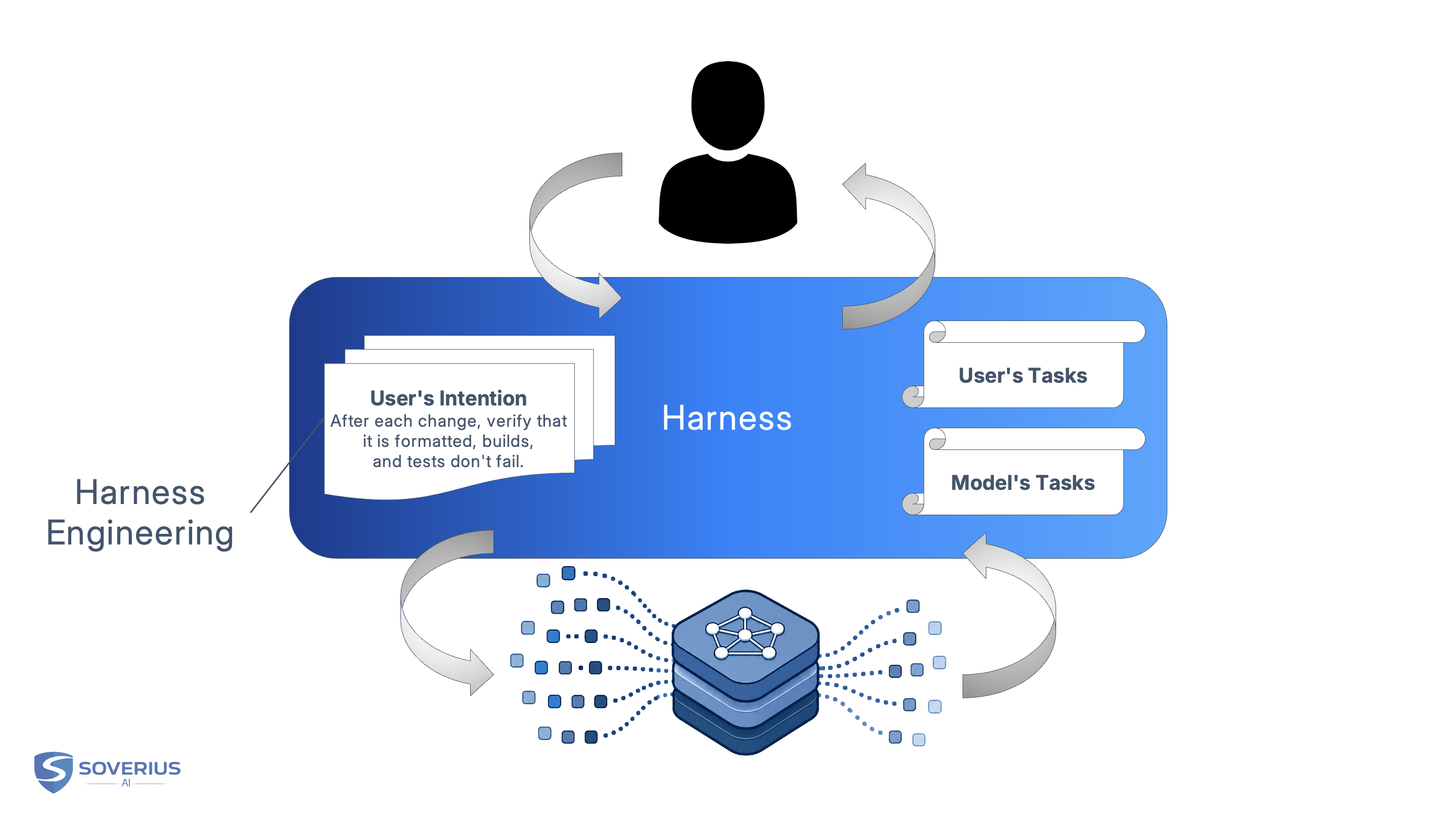
Where to start
You do not need every feature on day one. A practical first week:
- Pick a harness you already use (IDE or CLI).
- Add an
AGENTS.mdwith how you want work done and verified. - Add one hook or script that runs tests or lint before the agent can call a task finished. Improve it when real failures show up.
2.3 The ultimate goal
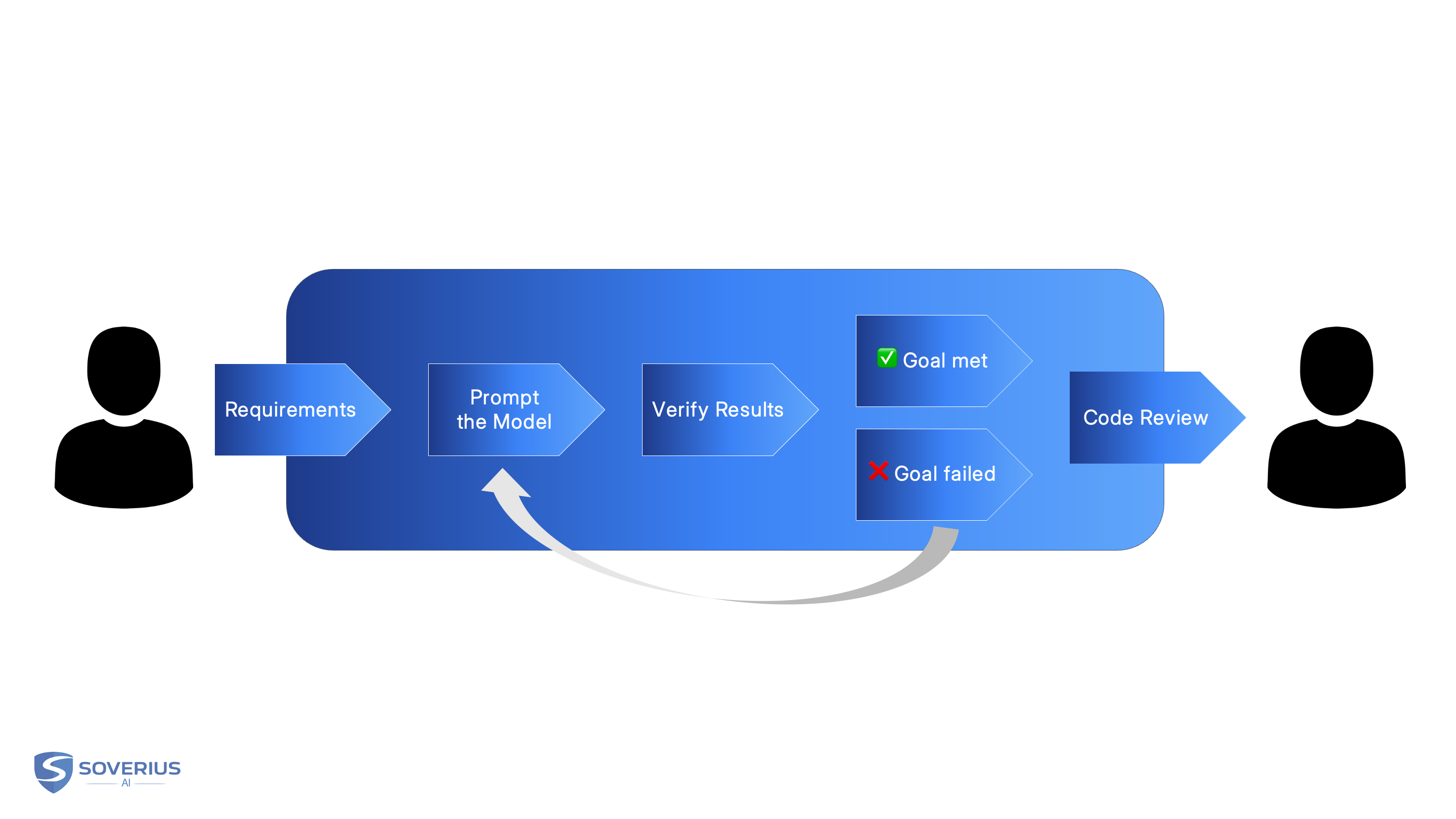
With that in place, we are one step closer to stabilizing long-running tasks.
Once we have presented our requirements and the success criteria, the harness has what it needs. It could run a loop until the goal is reached and hand back to us for the final review. That's currently the ultimate goal the harness should unlock: reducing human-in-the-loop involvement to a level where it really matters.
At the time of this writing, Codex and Claude Code already have the /goal feature, which is built for exactly what we just described.
Speaking of, if you want to see what a modern harness is capable of, take a look at the Codex documentation or the Claude Code documentation.
Other taxonomies exist. Notably, Vivek Trivedi's widely cited view of what a harness does. This article organizes around what it solves (see Further reading).
2.4 Common harnesses
Most harnesses ship as a product with a default model. The list below is a snapshot from May 2026, not a complete catalog.
Product names, models, and features below are that snapshot, not a spec.
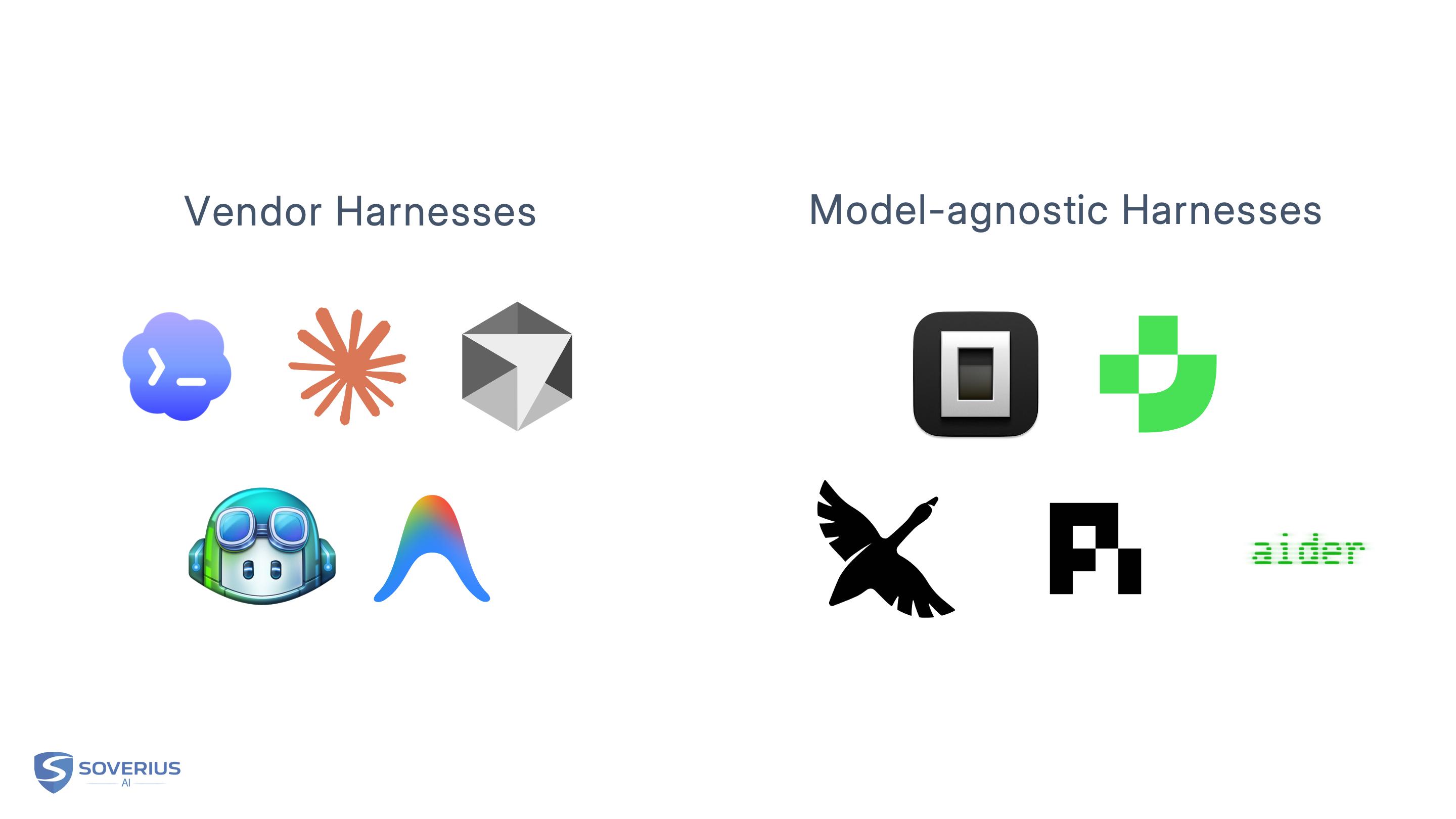
Vendor harnesses
- Cursor (IDE). In-house Composer 2.5 (Kimi K2.5 base, plus Cursor training). Also Claude, GPT, Gemini, Grok, and others.
- Claude Code (CLI). Claude by default. Same harness on Anthropic API, Bedrock, Vertex, or Foundry.
- Codex (CLI / IDE). OpenAI models by default (e.g. GPT-5.5). Other providers possible via
config.toml. - GitHub Copilot (IDE). Multi-model picker: Claude, GPT, Gemini, and others (plan-dependent).
- Antigravity CLI (CLI). Successor to Gemini CLI. Gemini models by default.
Model-agnostic harnesses
- OpenCode (CLI / IDE / desktop). Open source, 75+ providers. Optional curated models via OpenCode Zen.
- Junie (CLI / IDE). JetBrains agent. JetBrains AI or BYOK.
- Aider (CLI). Git-native. OpenAI, Anthropic, local models, and more.
How to choose? Prefer a CLI harness if you want scriptability and long-running goals like /goal. Prefer an IDE harness if you need a good UI with focus on the code. Prefer a model-agnostic harness if you need BYOK or to switch providers without changing tools.
3. Why the Harness Is as Important as the Model
We already mentioned that harnesses give the model hands and feet to work with via tools. We don't have to dive deeper into that. Without them, the model stays text in a chat window.
Whenever a real model improvement is needed, it has to go through training. That is extremely expensive and time-consuming. Vendors don't have that kind of time.
Harnesses let vendors add capabilities through simple coding instead of training. If the model is supposed to run verification steps after each file modification, let the harness do that. A few lines of code, in whatever language the vendor prefers. Ship a new version, users update it, done.
With models and harnesses, we see the same old patterns from computer science repeat themselves. A CPU can compute. Without an operating system it cannot manage files, isolate processes, or give applications a stable interface. The CPU is hardware. It is expensive and slow to replace. The OS is software. It ships in updates, improved week by week. Same here: the model is the hardware, the harness is the software.
Cheap to change is one reason the harness matters as much as the model. Another is reliability. Harnesses add determinism to an otherwise unpredictable world. Models do not produce deterministic, repeatable results, but the harness can make the final result verifiable. Pass or fail. No matter how self-assured the model presents itself. As software, it can run verification after every edit. If the build fails or ESLint reports errors, the harness can restart the run and let the model try again.
That means you are not stuck with whatever the model hand-waved through as "done." You get outcomes you can trust. That also means far less disappointment when the model claims it finished the job.
That brings us back to where we started: models alone still produce suboptimal results. Put the same model in a better harness, and it behaves better as well. The opposite, and the output will be worse.
An analogy: An F1 car outperforms a regular car in all aspects on paper, but given the choice, most of us would get further in the regular car. The regular car has all those instruments built in (harness) that make driving easy. With an F1 car, most of us wouldn't even get out of the garage.
That is not just a gut feeling. LangChain reported large gains on Terminal-Bench from harness engineering alone, without swapping the model. An arXiv study points in the same direction, with improvements of up to 6× depending on setup.
In a Hard Fork interview after Google I/O, Sundar Pichai tied Google's agentic-coding gap partly to lacking developer surfaces like Claude Code or Cursor. Not model capability alone.
That is why the harness is not a nice-to-have. For agentic coding, but also for other disciplines, it is half the product.
4. Where Harnesses Might Be Going
We have seen what harnesses do today: tools, verification, and features like /goal that run until success criteria are met. The open question is how far they can go. It is not whether the next model release will save us on its own.
What follows is opinion, not a product roadmap.
4.1 Towards certification?
A common claim is that code generation will eventually look like compilation: you write the spec, the model produces the output, and review goes away.
That only works if the model were deterministic like a compiler. It is not. But harnesses can run deterministic checks: tests, lint, builds. They feed failures back into the loop. We already framed that above as pass or fail.
The forward-looking version is stronger gates. Not zero humans. Harnesses could become a certification layer for model output. That means thorough tests, clearer success criteria, maybe even checks that the spec itself is coherent. We will never get a 100% guarantee, especially for critical systems. But we do not need every part to be perfect to get statistical safety. Air travel works that way. Wings and turbines are not flawless. Yet the system is safe enough to bet on.
Could that happen to software one day as well? We don't think so. Let's not forget how much human oversight goes into building and certifying aircraft.
4.2 Tokens and who pays
As we saw with /goal, the harness can already run until the job is done. The constraint that may bite first is not capability but cost. Long loops and agent swarms burn a lot of tokens. At some point monthly budgets become the bottleneck.
Teams that hit that wall will likely mix hosted APIs with their own infrastructure and open-weight models. That puts pressure on vendor business models built on usage. Our guess: the big providers will lean harder into services and harness features. They will not walk away from model research overnight.
4.3 The harness as vanguard
Harnesses are cheap to change compared to training. That is why vendors often ship experiments there. Much of what feels like "the agent got smarter" is often the harness. Models will follow if the harness proved a feature works.
I hope this gave you a clearer view of the harness. Questions? Email info@soverius.ai. For new essays and workshop announcements, use the "Stay Updated" form.
The Enterprise AI Architect Workshop (3 Days) · 3 Days
If you want to dive deeper, our workshop AI Architecture for Enterprises (3 Days) is a practical starting point.


Comments
No comments yet. Be the first.